

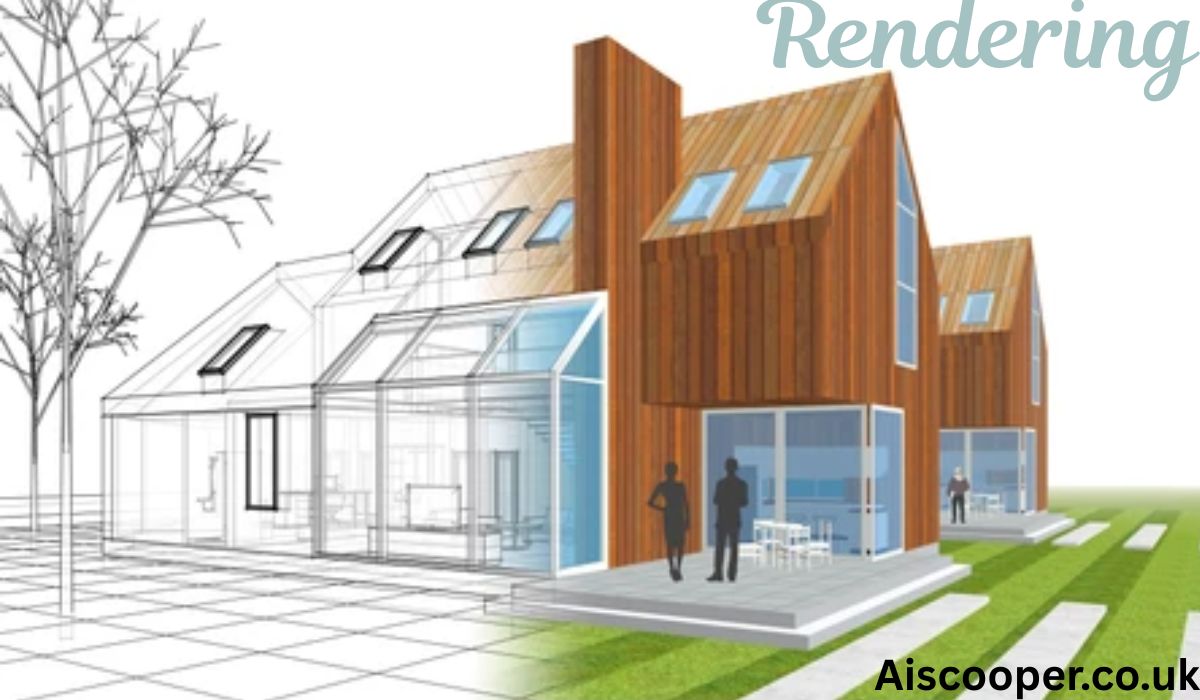
Rendering is the stage where an idea stops being a draft and starts looking real. In design and graphics, it turns a sketch, digital model, or scene into a finished visual that people can understand at a glance. A plain structure may show shape, size, and layout, but the final image adds light, texture, color, shadow, and depth. That is what makes a room feel warm, a product look polished, or a game environment feel alive. For many people, this is the moment when a concept finally makes sense.
This process matters across many creative fields because people often need to see an idea before they can approve it, buy it, or build it. Architects use it to show future spaces. Product teams use it to test how an item may appear on shelves or online stores. Graphic artists use it to add realism and mood to visual work. Whether the final result is a still image, a motion scene, or a live game view, the purpose stays the same: create a clear and believable picture that helps others understand the design.
The Meaning of Rendering in Modern Visual Work
At its simplest, rendering is the process of producing a final image from a design file or digital model. A creator may begin with lines, shapes, or a rough 3D object, but that early version does not look finished. The scene needs surfaces, materials, proper lighting, camera angles, and visual balance before it becomes presentable. Once those parts are added, the software calculates how the scene should appear and creates the final output. This could be a realistic room view, a product image, an animation frame, or a visual effect for media.
In modern graphics, this step is much more than a technical finish. It is part of communication. A client may not understand a wireframe or a floor plan, but they can react to a polished image right away. A product team may not know if a material feels premium until they see how it reflects light. A marketing team may need visuals that look sharp before launch day. In that way, rendering supports design decisions, client trust, and visual storytelling all at once.
Why It Matters So Much in Design
Design is not only about creating something useful. It is also about helping people see the value of that thing. A strong visual can explain scale, mood, material, and quality in seconds. That makes the design process smoother because it reduces confusion and gives everyone a shared view of the goal. From websites and digital art to interiors and packaging, finished visuals help ideas move forward with less guesswork.
Another reason it matters is emotional response. People react to images quickly. A bright and clean scene can feel calm and modern, while a darker scene with deep contrast can feel bold and dramatic. This emotional layer helps shape how viewers feel about a product, place, or brand. That is why skilled creators do not treat rendering as a last-minute task. They treat it as a key part of how the design speaks.
How the Rendering Process Works Step by Step
The process usually starts with a concept or base model. In some cases, that begins with a sketch. In other cases, it starts with a 2D layout or a 3D model built in design software. This early version defines the form, size, and structure of the subject. At that stage, the design may be accurate, but it still feels plain. It needs visual detail before it can communicate the full idea. Once the structure is ready, artists begin preparing the scene for a finished result.
After the base is built, the creator adds materials, textures, lighting, and camera views. A wall may need a matte paint finish, a table may need natural wood grain, and a metal frame may need a soft reflection. Lighting is then placed to control mood and visibility. Natural daylight, studio light, ambient glow, and shadow placement all affect the image. The camera angle is also chosen carefully because framing changes how viewers understand size, focus, and depth. When all of these choices come together, the software generates the final image or animation.
What Shapes a Strong Final Image
A successful result does not depend on one feature alone. It is built from several visual parts working together in balance. These parts often decide whether the scene looks realistic, flat, dramatic, soft, or commercial.
- Lighting sets the mood and helps objects feel three-dimensional
- Textures add believable surface detail, such as wood, glass, fabric, or stone
- Materials control how surfaces react to light, shine, or shadow
- Camera angle guides attention and changes how the subject is perceived
- Composition keeps the image clean, focused, and visually pleasing
- Color balance creates harmony and supports the intended feeling
- Shadows add depth, realism, and a sense of position in the scene
When one of these parts is weak, the image can feel unfinished. When all of them work together, the result becomes clear, attractive, and easy to trust.
Main Types of Rendering Used in Creative Fields
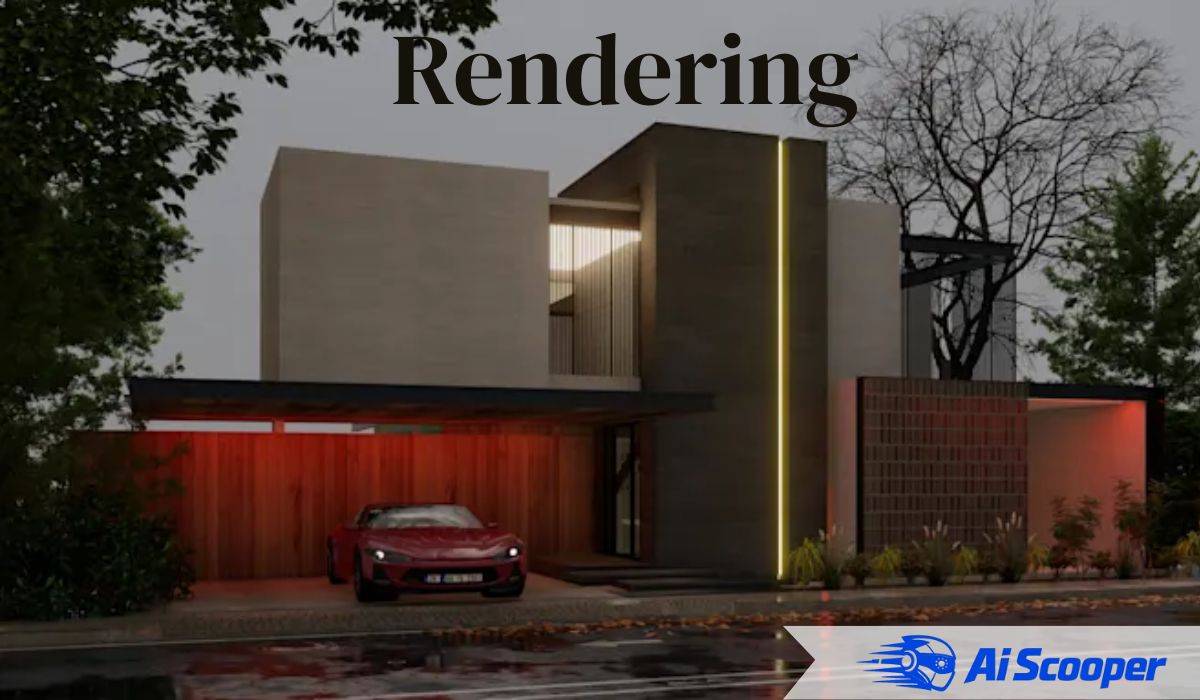
Different industries use different styles because their goals are not the same. In architecture, the focus is often on realistic building exteriors, interior design views, floor plan visualization, and landscape scenes. These images help clients picture how a home, office, or public space may look before construction begins. In product design, creators use digital visualization to show shape, color, finish, and material before manufacturing starts. This helps teams review options, improve presentation, and reduce expensive mistakes during production.
In entertainment and digital media, the process plays a different role. Film studios use it for animation, effects, and cinematic scenes. Game developers rely on graphics engines to create interactive environments that respond in real time. Graphic designers may also use rendered visuals for packaging, brand campaigns, advertising artwork, and social content when flat images are not enough. Even online stores benefit from this approach because polished product visuals often increase trust and improve buying decisions.
Real-Time Output and Pre-Rendered Output
One major difference in the field is the gap between real-time visuals and pre-rendered visuals. Real-time graphics are generated fast enough to respond instantly to user actions. This is why they are common in video games, virtual tours, interactive design, and immersive media. Speed is important here because the scene must update as the viewer moves, clicks, or plays. The quality can still be impressive, but the system must keep performance in mind.
Pre-rendered visuals take more time to create, but they often reach a higher level of detail. This method is common in architectural presentations, film animation, product mockups, and high-end marketing images. Because the image does not need to update live, the creator can push more detail into surfaces, reflections, light behavior, and atmospheric effects. Both methods are valuable. The right choice depends on whether the project needs instant interaction or the highest possible visual polish.
The Human Skill Behind Great Rendering
Software is powerful, but software alone does not create great work. A tool can offer settings, smart features, and fast output, yet it cannot fully decide what feels believable, attractive, or emotionally strong. That judgment comes from the artist or designer. A trained eye knows when a room looks too dark, when a product reflection feels fake, or when a camera angle makes the subject look awkward. Those choices shape the quality of the final image more than software menus ever can.
The best creators study real life closely. They pay attention to how daylight enters a room, how fabric absorbs light, how polished stone reflects nearby colors, and how small imperfections make a scene feel natural. This observation helps them avoid common beginner mistakes such as overly shiny surfaces, flat shadows, poor texture scale, or empty compositions. In many ways, strong rendering is a mix of technical control and visual sensitivity. The software builds the image, but the human eye gives it life.
Common Mistakes and Better Habits
Many weak visuals fail for simple reasons. Lighting may be too harsh or too even, which makes the image look artificial. Materials may not match real surfaces, so wood looks like plastic or metal looks dull. Some scenes have no depth because every object is clean, centered, and equally sharp. Others feel lifeless because the artist adds too much detail without clear focus. These problems are common, especially when someone is learning, but they can be improved with practice and careful review.
Better habits usually come from slowing down and asking basic questions. Does the light feel natural? Do the materials match real-world behavior? Does the image lead the eye toward the main subject? Does the environment support the story? Good creators often compare their work with real photography, real interiors, real products, and real outdoor scenes. That comparison builds taste, and taste is one of the strongest tools in visual design.
Why Rendering Helps Business, Marketing, and Communication
A polished visual can save time, reduce confusion, and support better decisions. When clients, buyers, or team members can clearly see the result, they respond faster and with more confidence. A realistic interior image may help a customer approve furniture choices. A product visualization may help a company review color versions before production. A marketing team may use detailed graphics in ads, presentations, social campaigns, and online product pages. In each case, the image does more than look good. It helps people understand what they are seeing and why it matters.
This is also why rendering has become important in digital commerce and brand presentation. People often judge quality by visuals before they read product details. If the image looks clean, realistic, and carefully made, trust grows. If it looks flat or confusing, interest drops. That makes visual output a practical tool, not just an artistic one. It helps connect design, sales, planning, and audience response in a simple and direct way.
The Future of Visual Rendering
The future of this field is moving toward faster workflows, smarter tools, and more immersive experiences. Real-time engines are becoming more advanced, which means live graphics can now look closer to traditional high-end output. Cloud processing is helping teams handle large scenes more efficiently. Virtual reality and augmented reality are also changing how people explore visual work by letting them move through digital spaces instead of only viewing flat images on a screen.
Even with all this progress, the main goal remains unchanged. People still want visuals that feel clear, natural, and trustworthy. No matter how advanced the tools become, creators will still need good judgment, strong observation, and an understanding of how light, material, and composition work together. Technology may make the process easier, but meaningful image-making will always depend on human choices.
Conclusion
Rendering is the bridge between a raw idea and a finished visual experience. It takes structure, shape, and planning and turns them into something people can actually feel and understand. In design and graphics, that makes it one of the most important stages of the creative process. It helps architects present spaces, helps brands present products, helps artists shape mood, and helps viewers connect with a concept in a clear way.
As visual content keeps growing across digital platforms, the value of high-quality image creation will only become stronger. Whether the goal is realism, speed, storytelling, or sales, this process remains central to how ideas are shared. For beginners, learning it opens the door to better design thinking. For professionals, mastering it means turning vision into impact.
Frequently Asked Questions
1. What is rendering in simple terms?
It is the process of turning a draft, model, or scene into a finished image or animation.
The final result adds light, color, texture, and depth so people can see the idea clearly.
2. Where is rendering used the most?
It is widely used in architecture, product design, gaming, animation, and advertising.
Any field that needs realistic visuals or clear previews can benefit from it.
3. Is rendering only for 3D design?
No, it is most common in 3D work, but it also supports many forms of digital graphics.
It can improve visual presentation in branding, media design, and promotional artwork.
4. Why does rendering sometimes take a long time?
Detailed scenes need the system to process light, shadows, textures, and reflections carefully.
Higher image quality and animation frames can increase the time needed a lot.
5. What is the difference between real-time and pre-rendered graphics?
Real-time graphics appear instantly and are used in games and interactive experiences.
Pre-rendered visuals take longer but usually deliver more detail and realism.